# API Data
**API testing** is a critical component of the software development life cycle, ensuring that backend services function reliably and efficiently. **TestWheel** offers a comprehensive, end-to-end automated testing solution that simplifies and streamlines the API testing process.
With its **user-friendly interface**, TestWheel allows users to create and manage test cases in just a few easy steps. Whether you're a seasoned tester or someone with no coding experience, TestWheel empowers you to perform API testing seamlessly and effectively.
Our platform also supports **customized and automated API call sequences**, enabling users to replicate complex workflows, validate response accuracy, and detect unexpected errors. This powerful functionality helps teams maintain consistent performance and quickly identify issues before they reach production.
## To start with **API Testing**
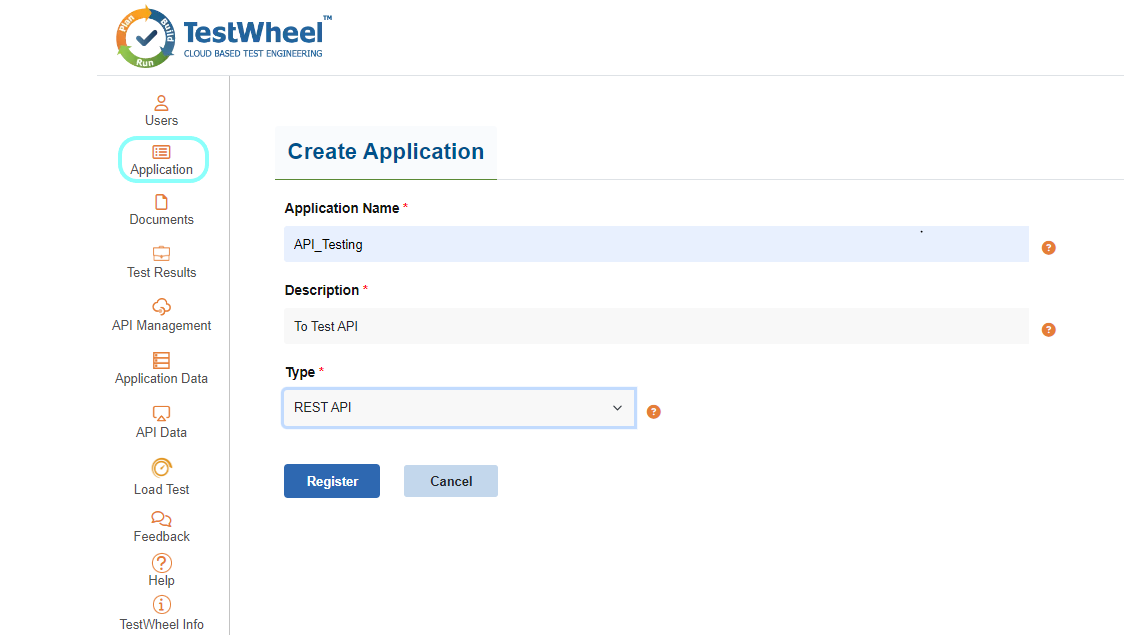
Create an application within Testwheel and select the type as REST API and proceed to register it with Testwheel. For guidance, please refer the image provided below.
## **Adding Testcase For API Testing**
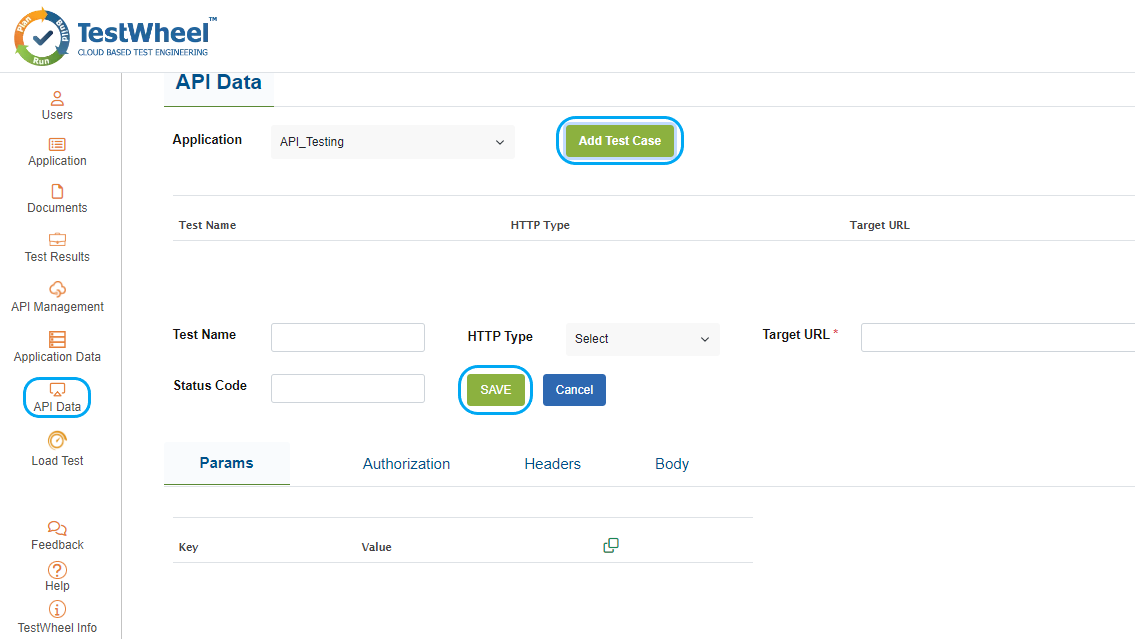
After creating the application, navigate to the API Data icon in the menu. Then, choose the desired application from the dropdown menu for which you want to create a testcase. Click on the “Add Test Case” button, fill in the required fields, and save your changes. Please refer to the below image.
## **Test Trigger for API Testing**
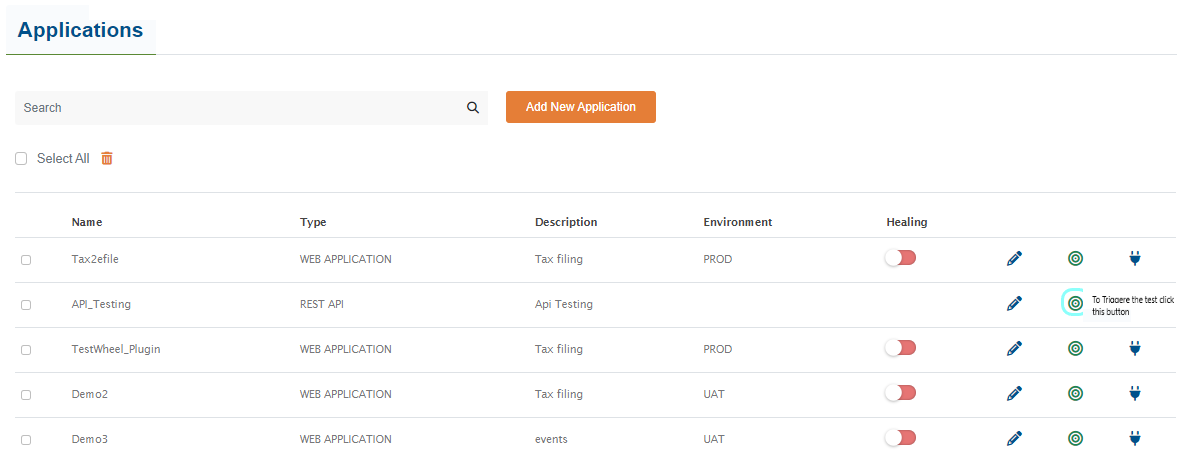
After the completion of adding api testcase, user can trigger the test from application page. Please refer to the below image.
Application Page test run
## **API Test Report**
To access the API test results, navigate to the test results page and click on the report icon to download the test report for viewing. Please refer to the image below for guidance.
API Test Report PDF
---
# Agent Instructions: Querying This Documentation
If you need additional information that is not directly available in this page, you can query the documentation dynamically by asking a question.
Perform an HTTP GET request on the current page URL with the `ask` query parameter:
```
GET https://docs.testwheel.com/api-data.md?ask=
```
The question should be specific, self-contained, and written in natural language.
The response will contain a direct answer to the question and relevant excerpts and sources from the documentation.
Use this mechanism when the answer is not explicitly present in the current page, you need clarification or additional context, or you want to retrieve related documentation sections.